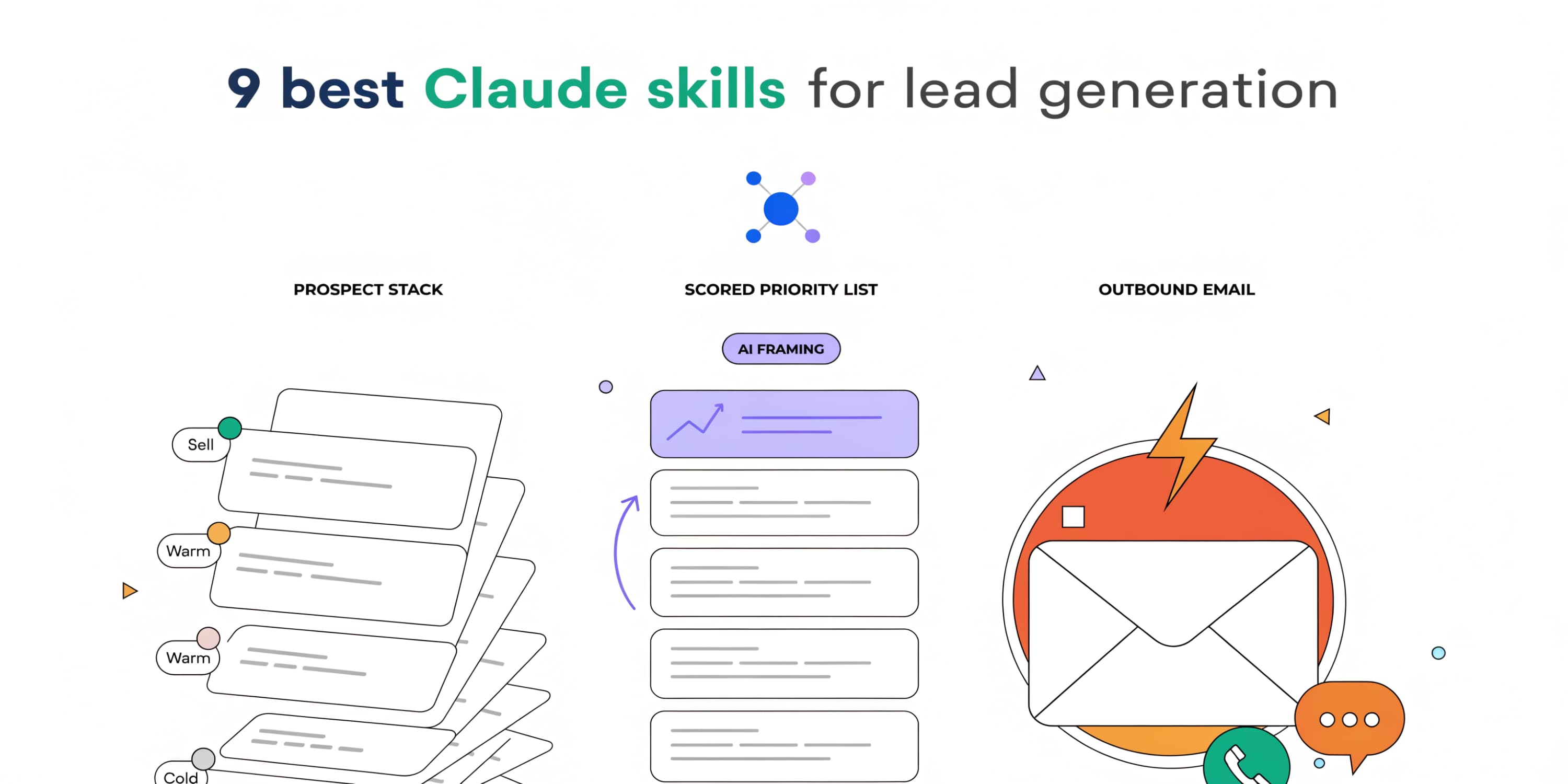

- AI isn't replacing the SDR desk. It's finishing it. Reply-handling and intent ranking close the gap that used to exist across the whole catalog.
- The gtm-skills SDR pack is 8 free, open source Claude Skills covering the whole desk end-to-end. Build the list, rank the queue, write the message (subject line included), book the call and save the no-shows, and sort the replies.
- Start with the-list-builder and the-fit-scorer. Never let an automated reply go to an angry inbound.
"Will AI replace sales jobs" gets searched a lot, and the honest answer for SDRs is no, not the job. What's actually happening is narrower and more useful: the mechanical parts of the desk - build the list, write the opener, sort the replies - are getting handed to AI, one job at a time, while the decisions that matter stay with a person.
gtm-skills is a free, MIT-licensed collection of Claude Skills organized around real GTM job roles. The SDR pack covers the whole desk end-to-end. The reply-handling additions close a real gap: across the entire catalog, nothing handled inbound replies until they landed. You could build a list, write a cold email, and book a call, but the moment a prospect wrote back, you were on your own. Not anymore.
Quick summary
- The gtm-skills SDR pack covers the whole desk end-to-end, and reply-handling skills close the gap that used to exist across the catalog.
- Reply-handling skills: the-reply-classifier, the-list-cleaner, the-call-booker (booking plus no-show recovery).
- The rest cover list building, ICP scoring, intent-signal ranking, cold email (subject line variants included), and sequence auditing.
- Install once with npx skills add sidchaudhary/gtm-skills, then paste the one you need into a Claude project.
- The send button, the decision to contact someone, and any angry reply still go through a human, every time.

How to install these in about 60 seconds
- Run npx skills add sidchaudhary/gtm-skills, or clone the repo directly.
- Open Claude and create a project. Name it after the skill, for example "Reply Classifier."
- Paste the skill's SKILL.md into the project instructions.
- Start a chat inside that project and give it your inputs.
Works in Claude chat, in a Claude Project, or in Claude Code. Nothing else to install.
The 8 skills
Eight skills covering every part of the SDR desk: three for building, cleaning, and scoring the list, one for ranking the queue by fresh signal, three for writing the message (subject line included), booking the meeting, and recovering a no-show, and one reply-handling skill that finally closes the inbound gap the catalog never covered before.
| Skill | What it does | Status |
|---|---|---|
| 1. The List Builder | Builds and qualifies a prospect list from an ICP definition, scored Hot/Warm/Cold/Skip | Existing |
| 2. The Fit Scorer | Scores an account list against your ICP into High/Medium/Low priority tiers | Existing |
| 3. The List Cleaner | Dedupes and flags a raw list before it hits a sequence: wrong titles, stale roles, broken data | New this session |
| 4. The Monday List | Ranks a batch of intent signals into a prioritized outreach list with signal, rationale, and channel per account | Existing |
| 5. The Cold Opener | Writes a complete cold email body under 120 words from research and a trigger signal, subject line variants included | Existing |
| 6. The Sequence Doctor | Audits a cold sequence and rewrites the three weakest emails | Existing |
| 7. The Call Booker | Writes the booking message, reschedule, confirmation, day-before reminder, and a 3-stage no-show recovery sequence | New this session |
| 8. The Reply Classifier | Sorts an inbound reply into Interested/Later/Referred/Objection/Dead/Angry with evidence | New this session |
Build, clean, and score the list
Three skills cover the input side of the desk: getting a list that's worth writing to in the first place.
1. The List Builder
Builds and qualifies a prospect list from an ICP definition, sourced from data you provide or public web research, scored Hot/Warm/Cold/Skip with evidence and confidence per lead. Feeds directly into the-fit-scorer and the-list-cleaner. Read the skill.
2. The Fit Scorer
Scores an account list against your ICP criteria and returns a priority tier - High, Medium, or Low - with a one-sentence rationale per account. Use it before an outbound campaign so the good hours go to the good accounts, not the whole list. Read the skill.
3. The List Cleaner
Dedupes and flags a raw list before it ever hits a sequence: wrong titles, stale roles, wrong companies, broken emails and phone numbers. This is the step between the-fit-scorer and the-cold-opener that most desks skip, and the reason a scored list still bounces half its sends. Read the skill.
Prioritize the queue
A scored list still doesn't tell you what to work first this week. One skill ranks the queue by fresh signal instead of static ICP fit.
4. The Monday List
Takes a batch of intent signals from across the pipeline and returns a ranked outreach list with the signal, the rationale, and a suggested channel per account, ordered so the week starts with action rather than reading. Ranks by fresh signal and its decay, whereas the-fit-scorer ranks by static ICP fit. Read the skill.
Write and book
Once the queue is ranked, three skills carry a name through the message, the send-ready check, and getting the meeting on the calendar.
5. The Cold Opener
Takes prospect research, a specific trigger signal, and a product value prop, and writes a complete cold email body under 120 words plus five scored subject line variants, personalized to the signal. Read the skill.
6. The Sequence Doctor
Builds a full multi-touch sequence from scratch, or audits a cold outbound sequence and returns a gap analysis per email, rewrites for the three weakest emails, and a recommendation for any missing step. Audit mode is the one you reach for when reply rates drop and you need to know why, not just that they did. Read the skill.
7. The Call Booker
Writes the booking message, the reschedule, the confirmation, and the day-before reminder, so the meeting actually shows up on the calendar instead of dying in a "sounds good, let's find time" reply. Also covers the missed-meeting recovery: a 3-stage sequence (same-day nudge, day-3 different angle, day-7 breakup) plus a history-based rule for when to stop trying. Read the skill.
Classify and clear replies
One skill carries the reply layer that used to not exist in the catalog at all.
8. The Reply Classifier
Sorts an inbound reply into Interested, Later, Referred, Objection, Dead, or Angry, with the evidence for that call and a recommended next action. Pairs with the AI email assistant when the same triage has to happen against a shared team inbox, not just one rep's queue. Read the skill.
The order to build them in
Start with the-list-builder and the-fit-scorer. A stale, unscored list is still the single most common reason outbound underperforms, and fixing it changes every number downstream. Run the-list-cleaner right after scoring, before anything goes into a sequence. Add the-cold-opener once you have a list worth writing to, and bring in the-call-booker right before you send, so the booking flow - and its no-show recovery - is ready the moment a reply says yes. The-reply-classifier isn't a setup step, it's the operational layer you run every day once replies start coming in. Keep the-sequence-doctor as a recurring audit, not a one-time install: pull it out whenever reply rates move, not on a fixed schedule.
What to never hand over
Three things stay with a person, permanently, no matter how good the classifier gets. The decision to actually contact someone - these skills draft the list and the message, a human approves both. The final send, on anything: the first email, the reply, the reschedule. And any reply from a prospect that reads as angry - that gets a human response, every time, not an automated one. A desk that gets this wrong isn't more efficient, it's just faster at annoying people.
When you outgrow the manual version
These 8 skills run one job at a time, on whatever you paste in. Intempt's SDR agent is the same job description wired into your actual pipeline: it builds and scores the list from your real CDP data, drafts and sends the sequence, classifies and routes replies, and books the meeting, so you're not pasting the same inputs in every morning. Same desk. The difference is whether a person is doing the pasting or the data already lives in the system.
Frequently asked questions.Answered.
- The-reply-classifier sorts inbound replies into Interested, Later, Referred, Objection, Dead, or Angry with evidence and a next action. The-list-cleaner dedupes and flags a raw list before it hits a sequence - wrong titles, stale roles, wrong companies, broken data. The-call-booker writes the booking message, the reschedule, the confirmation, and the day-before reminder, plus a 3-stage recovery sequence when the meeting gets missed. Together they close the reply-handling gap that existed across the entire catalog before now.